

News

09/03/2026 by Kvaser

Real-time signal plotting now available in CanKing 7.4

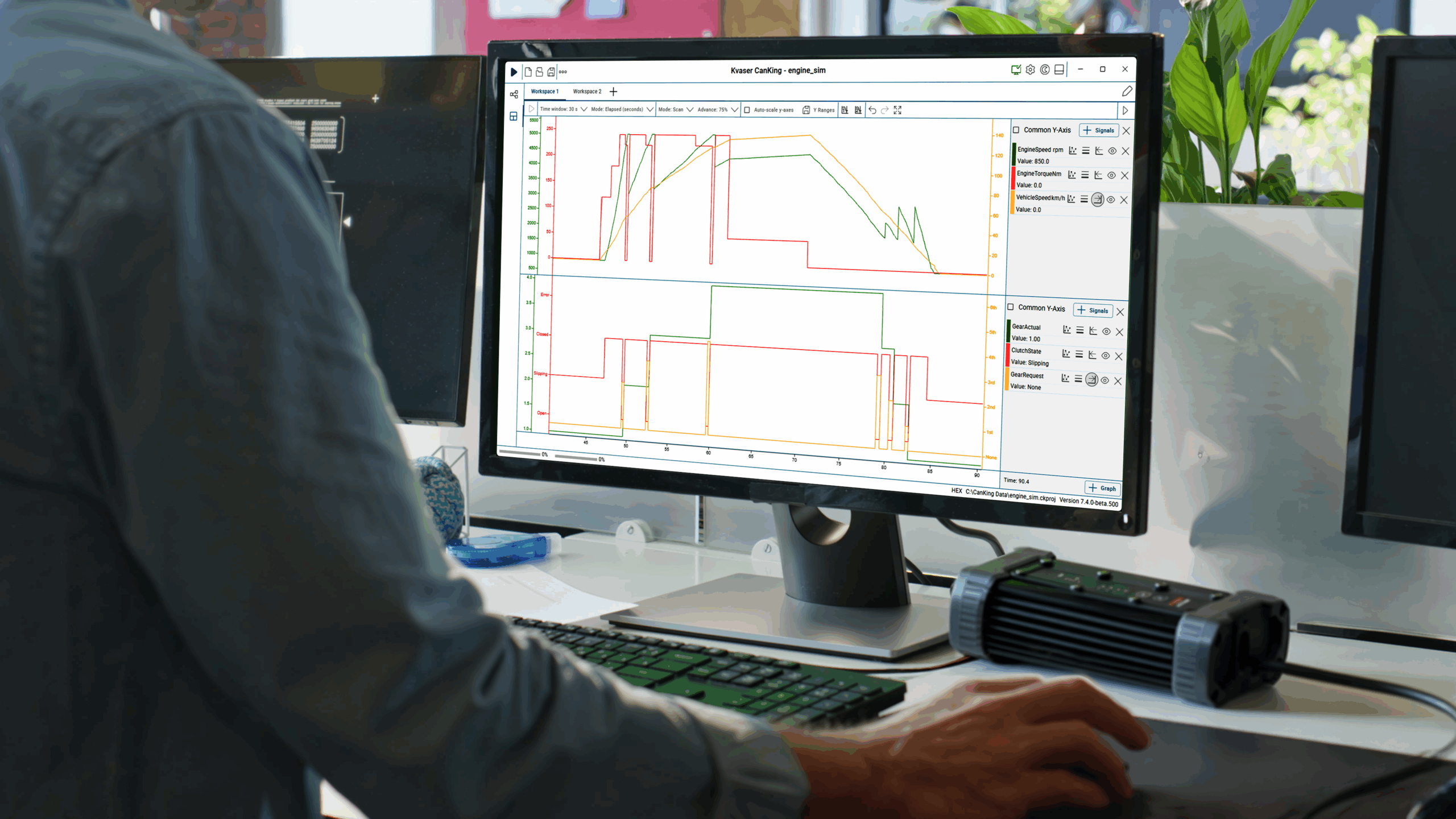
Signal Plot is a CanKing 7 extension that brings real-time graphical visualization of decoded CAN and LIN signals directly into the CanKing workspace. It is part of the growing CanKing extension ecosystem, enabling developers to expand CanKing with custom tools built on the CanKing API.

With just a .dbc or .ldf file, the Signal Plot extension can change raw bus data into clear, time-based visual insights. It is installed as a free extension and integrates seamlessly into the latest CanKing 7.4.

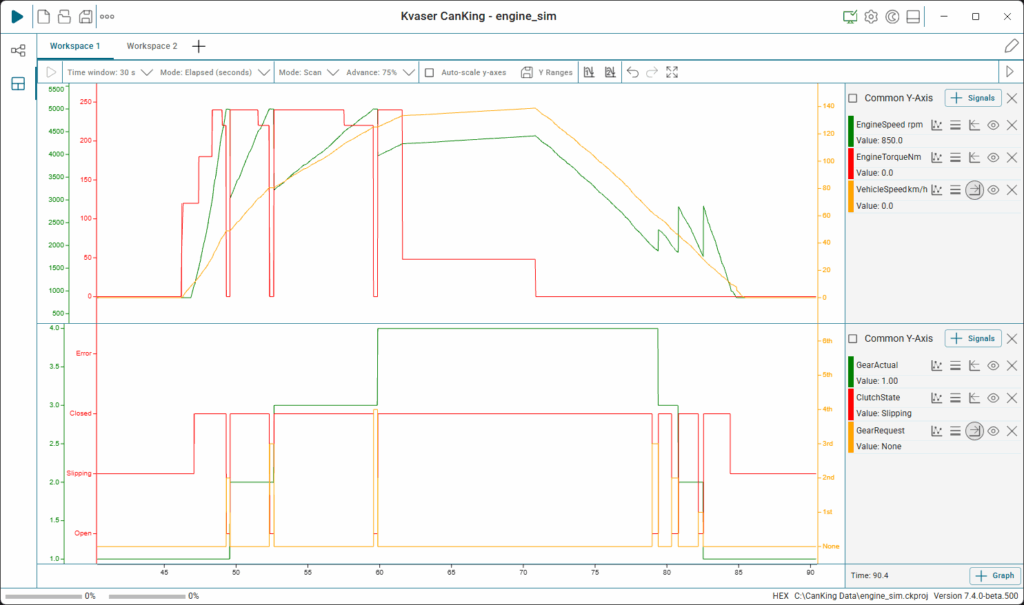
Once configured, signals can be displayed as time-based graphs in engineering units such as speed, voltage, torque, or temperature – making system behavior easier to interpret.

Signal Plot complements the traditional trace view, which remains essential for reviewing raw frames and message flow. Together, both views provide complete insight into bus activity and signal behavior.
Key features

  • Real-time plotting of CAN and LIN signals
  • Multiple graphs in one workspace
  • Multiple Y-axes per graph for different signal ranges and units
  • Live and pause modes for flexible analysis
  • Time window selection to control visible history
  • Time cursors for precise value measurements
  • Zoom and pan controls with navigation history
  • Auto-scale and manual Y-axis scaling
  • Scrollable and scan-style plot modes
  • Legend panel with current and cursor-based signal values
  • Workspace integration for flexible setup and configuration.

Benefits for development and test

Signal Plot makes it easier to understand system behavior through clear, time-based visualization of signals.

Live mode displays incoming data in real time, while pause mode enables detailed analysis of captured measurements. Time cursors allow comparison between two points, and zoom and pan tools help focus on specific events.

Auto-scaling keeps signals readable, while manual Y-axis control ensures consistent scaling when comparing signal magnitudes. The time window setting defines how much historical data is displayed, supporting both short-term and extended analysis.

Legends display live signal values during measurement and exact values at cursor position, improving clarity during evaluation.

Engineering use cases

Signal Plot enables efficient signal analysis in demanding engineering environments:

  • Automotive development – where torque, speed and sensor signals must be evaluated together.
  • Electric vehicle testing – including voltage, current, and temperature monitoring.
  • Industrial system validation – where feedback loops and control behavior require verification.
  • Fault investigation – especially for intermittent or time-dependent issues.

Signal Plot strengthens CAN and LIN analysis by combining structured message tracing with synchronized, real-time signal visualization directly inside CanKing 7.

Get started

Download and install the free Signal Plot extension* for CanKing 7 to enhance your CAN and LIN analysis workflow with real-time signal visualization.

* CanKing must be updated to 7.4 or later versions before installing the Signal Plot extension.